


BestReels
4.43.15K Reviews
App Specs
- Version
- 1.5.7
- Updated On
- License
- Free
- Downloads
- 500,000+
- Developer
- Moboreader TECHNOLOGY USA CO LTD
- Categories
- Entertainment
- Platform
- Android
Screenshots
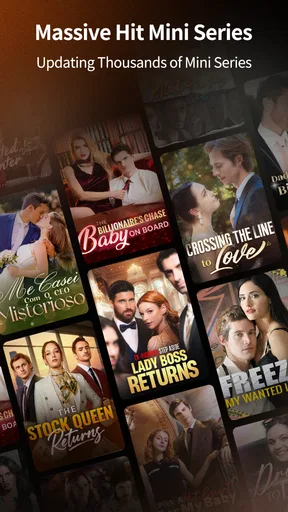
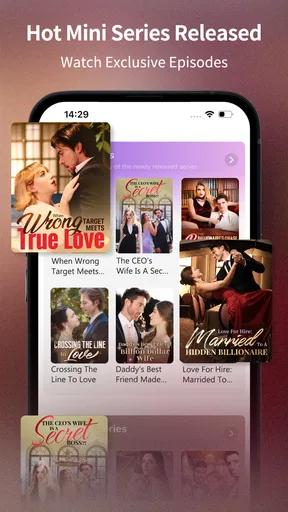
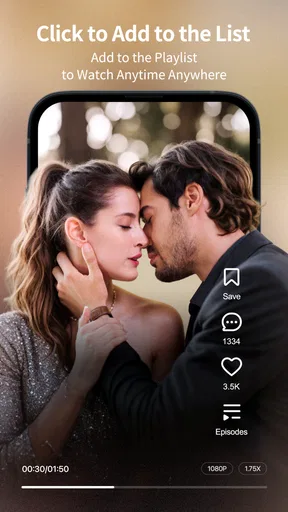
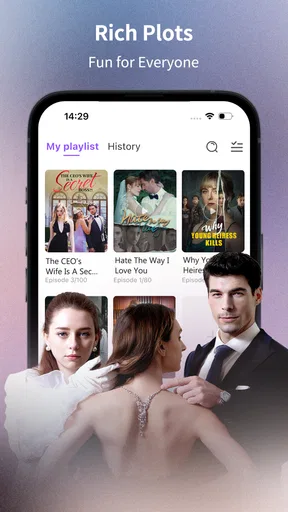
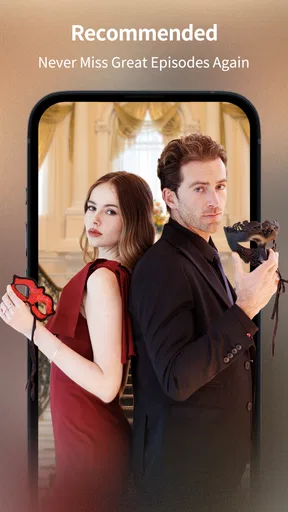
 Analysis by AppCompare
I judge a short-video entertainment app by a simple question: does it give me a good reason to open it in a spare moment, and does it make that time feel worthwhile? BestReels is aimed at people who want a personal stream of video stories rather than a general-purpose video service. That distinction matters: I would consider it for quick, focused entertainment, not as a replacement for every kind of video watching or creation.
The app is free to install, with in-app purchases ranging from $4.99 to $239.99 per item. I’d keep that range in mind before treating “free” as a promise of unlimited access. If I were trying it for the first time, I’d explore the experience at my own pace and pay attention to any purchase prompts before committing. That is a more useful way to assess the value than assuming every part of the app will cost nothing.
Choose it for the kind of viewing you actually want
BestReels is an entertainment app from Moboreader TECHNOLOGY USA CO LTD. It has a 4.0 average from around 12,000 ratings, with roughly 2,000 written reviews and over 100,000 installs. Those figures suggest that it has found an audience, but they can’t tell me whether its particular style of short-form viewing suits you. I’d treat them as context, not a substitute for trying a few sessions yourself.
The most important decision is whether you want compact, easy-to-start entertainment or a broader library and more control over what you watch. BestReels is presented as a personal-theatre experience, so I’d approach it as something to dip into when I want a short break, rather than expecting the range or browsing habits of a full-length film service. Its Teen content rating is also worth considering if you’re choosing an app for a younger viewer: I would check that rating against the person who will use it instead of assuming the content fits every family.
Where BestReels can fit into a normal day
Short-form viewing is most useful when it fits a real gap in the day. I can imagine opening BestReels while waiting for a takeaway order, during a quiet bus ride, or after finishing a task when I want a little entertainment without choosing a long film. The practical advantage is not that every clip will be a favourite; it’s that the format can make starting and stopping feel less like a commitment.
For that reason, I’d use it deliberately. Before opening the app, I’d decide whether I have a few minutes to spare, then stop when that break is over rather than letting a quick check turn into an automatic habit. If I’m sitting down for a planned evening of viewing, I’d usually choose a service built around longer films or series instead. BestReels makes more sense as a small pocket of entertainment than as the centre of a whole night in.
What to check before spending money or settling in
The in-app purchase range makes it sensible to distinguish between trying the app and paying for more of it. I wouldn’t buy anything simply because I had already spent time browsing; I’d first decide what specific benefit I expect from a purchase and whether I’m likely to use it more than once. If the app presents a price or payment choice, pause long enough to read it. That small habit helps keep a casual entertainment app from becoming an impulse expense.
Worth Reading Before You Choose

EA SPORTS FC Mobile 26 Is a Bigger Football Game, but It Takes Time

Flipboard Shows What News Apps Must Do Beyond the Feed

Switching to Android Auto Means Rethinking Your Driving Routine

Google Calendar Makes a Crowded Week Easier to Manage

Ludo King Makes the Most of the Minutes Between Plans

Baby Panda World Brings Quick Play to Modern Phones, but Its Game Library Feels Busy
I’d also ask a few practical questions while testing it: can I find something enjoyable without a long search, does the viewing format suit the length of my breaks, and do I still want to return after the novelty wears off? Those are better personal tests than judging the app from its name or a single session. Anyone who wants a very broad catalogue, a familiar selection of long-form shows, or complete control over every viewing choice may be happier with a different kind of entertainment service.
Getting Started with BestReels
First things first, downloading BestReels was a breeze. Whether you’re on Android or iOS, the app is available on both platforms, which is super convenient. Once installed, I was greeted with a clean and intuitive interface. You know that feeling when you open an app and everything just makes sense? Yeah, that’s BestReels for you. No clutter, just straight-up functionality.
Features That Stand Out
One of the first things I noticed was the variety of editing tools available. From trimming and splitting clips to adding transitions and effects, BestReels has you covered. The app also offers a wide range of filters and color correction tools, which are perfect for giving your videos that professional touch.
Now, let me tell you about the music library. It’s impressive! With a plethora of royalty-free tracks, you can find the perfect background music for any vibe you’re going for. Plus, the ability to sync music to your video clips is incredibly smooth. I found myself spending more time than I’d like to admit just playing around with different music options.
Creating Content Like a Pro
Another feature that I absolutely loved was the speed adjustment tool. Whether you want to create a slow-motion effect or speed things up for a timelapse, BestReels makes it super easy. And for those who love a good text overlay, the app offers a variety of fonts and styles to choose from. It’s perfect for adding captions or titles to your videos.
Let’s talk exporting for a second. BestReels allows you to export your videos in various formats and resolutions, including HD. This is great news for anyone who wants to share their creations on different platforms without sacrificing quality.
Community and Support
One thing that really sets BestReels apart is its community feature. You can connect with other creators, share your work, and get inspired by what others are making. It’s like a mini social network for video enthusiasts. And if you ever run into any issues, the app’s support team is just a click away. They’re super responsive, which is always a plus in my book.
Final Thoughts
All in all, BestReels is a fantastic tool for anyone looking to create stunning videos with ease. Its user-friendly interface, combined with a robust set of features, makes it a top contender in the video editing app space. Whether you’re a seasoned pro or just starting out, this app has something for everyone. So, if you’re ready to take your video editing skills to the next level, give BestReels a shot. Trust me, you won’t be disappointed.
Until next time, happy editing!
A note on the app’s identity and platform
One thing I would clarify before installing is what I’m hoping to do with it. BestReels is an entertainment app, not a video editor. The editing tools, music library, exporting controls, creator community, and support experience described above do not match the confirmed profile of this app, so I would not rely on those claims when deciding whether it suits me. The dependable description is narrower: it is an app for a personal-theatre style of entertainment, and the short store label is BestReels.
That correction changes the recommendation in a useful way. If I want to watch entertainment in a compact, app-based format, it may be worth a cautious try. If my actual goal is to trim footage, add music, build captions, or export a finished video, I’d choose a dedicated editing app instead. Matching the app to the job matters more than a confident-sounding feature list.
How I’d test the experience without overcommitting
I’d start by checking the Android device requirement: the current version is 1.5.1.6 and needs Android 6.0 or later. The app is also available on iOS, so the choice is not limited to one mobile ecosystem. Before settling in, I’d make sure I’m using the intended app and review its age guidance. The Teen rating is a practical cue for parents and younger users, not a guarantee that every individual will find the material appropriate.
My first session would be a short, purposeful trial rather than an open-ended scroll. I’d see whether the entertainment is easy to discover, whether the presentation feels comfortable on my screen, and whether I can stop when I want to. Those checks answer a real question: does this work as a quick break for me, or does the format leave me wanting a different kind of viewing? I would not assume that a personal-theatre label means a particular catalogue, playback control, or viewing feature.
Who is likely to enjoy it, and who should pass
I’d consider BestReels if I enjoy discovering bite-sized entertainment on my phone and want an app I can open without planning an entire viewing session. It may suit someone who has a few idle minutes between errands or wants a small distraction during a break. A realistic use would be waiting at a clinic: I could browse for something engaging, watch while I wait, and put the phone away when my appointment is called. That kind of stop-and-start situation is where a compact entertainment app can be convenient.
I’d skip it if I mainly want films or series to watch from beginning to end, need a carefully controlled viewing choice for a child, or are looking for tools to make and export videos. A broad streaming service may be a better fit for planned, long-form viewing; a dedicated editor is the clearer choice for producing clips. BestReels has a more specific role, and it is strongest as a possible small-screen entertainment option rather than a universal media toolbox.
Comparing alternatives and the cost of switching
Compared with general video platforms, a personal-theatre app may feel more focused, but focus is only an advantage if its available entertainment matches your taste. Compared with long-form streaming services, it is not the choice I’d make when I want a full film or several episodes. And compared with a video editor, it answers a completely different need. I’d make the decision by asking what I want to do right now—watch a short piece, settle in for a longer story, or create something of my own—then choose the category that fits.
Trying BestReels is a fairly simple decision because it is free to install, but the purchase range is substantial enough to make restraint worthwhile: individual in-app purchases run from $4.99 to $239.99. I’d look carefully at what a purchase covers and avoid spending until I know the app’s viewing experience is one I’ll return to. Switching away is straightforward in principle: if it doesn’t suit my habits, I can use another entertainment option. The real cost is more likely to be time spent exploring and any purchase I chose without understanding its value.
A clear recommendation for a careful first try
My recommendation is conditional: give BestReels a brief try if you want a mobile entertainment experience and are comfortable judging it on what you actually find inside. Its 4.0 average rating, drawn from around 12,000 ratings, offers a rough sign of reception, while more than 100,000 installs show that other people have tried it; neither tells me whether it will match your preferences. I would treat the 2,000 or so written reviews as another perspective, not as proof that it will suit every viewer.
For a first-time user, the useful checklist is simple: confirm that the app’s entertainment format is what you want, take the Teen content rating seriously, and read any purchase prompt before tapping through. If the first session feels easy to enjoy and easy to end, it could earn a place in your rotation for short breaks. If you want a specific catalogue, long-form viewing, or creative editing controls, I’d move on to an option built for that purpose rather than expecting this app to cover every need.
Pros
- User-friendly interface enhances experience.
- Diverse selection of short video content.
- Seamless video editing tools available.
- Regular updates with new features.
- Efficient content discovery algorithms.
Cons
- Limited offline access to content.
- Occasional ads interrupt viewing.
- High data usage for streaming.
- Requires newer device for smooth performance.
- In-app purchases can add up quickly.
FAQs for BestReels
What is BestReels and what features does it offer?
BestReels is a dynamic video editing app designed to enhance your short video content for social media. It features a variety of filters, effects, and editing tools that allow users to create professional-looking videos with ease. Whether you're a beginner or an experienced creator, BestReels offers intuitive tools to make your content stand out.
Is BestReels free to use, or does it require a subscription?
BestReels offers a free version with basic features, but to unlock its full potential, users can opt for a subscription. The premium version provides access to exclusive effects, advanced editing tools, and ad-free usage. This subscription model ensures continuous updates and new features for subscribers.
How user-friendly is BestReels for beginners?
BestReels is designed with a user-friendly interface that caters to both beginners and advanced users. New users can easily navigate through its features thanks to step-by-step tutorials and an intuitive design. The app simplifies complex editing processes, making it accessible for anyone looking to enhance their video content.
What platforms is BestReels available on?
BestReels is available for both Android and iOS devices. It can be downloaded from the Google Play Store for Android users and the Apple App Store for iOS users. The app is optimized for a wide range of devices, ensuring smooth performance regardless of your smartphone model.
Does BestReels support collaboration or social sharing?
Yes, BestReels supports social sharing and collaboration. Users can easily share their creations across various social media platforms directly from the app. Additionally, it offers collaboration features where multiple users can work on the same project, making it perfect for team projects or social media campaigns.


